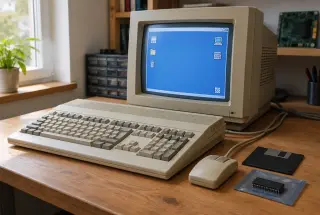
Two parts of the Amiga experience
Anyone exploring classic Amiga computers soon encounters two names: Kickstart and Workbench. They are closely related, but they do not serve the same purpose. Kickstart is the low-level system software that starts the computer and provides essential operating system functions. Workbench is the graphical desktop environment and collection of tools that makes those functions accessible for everyday use.
The distinction matters because Amiga software was designed around particular combinations of hardware, Kickstart versions and Workbench releases. A game may start without Workbench because it contains its own loading system, while a productivity program may require both a suitable Kickstart ROM and a specific Workbench environment. Understanding the relationship helps with original hardware, modern replacements, software preservation and emulation.
These terms are also useful for families and newcomers who want to use an Amiga for retro gaming without treating every compatibility problem as a hardware fault. A failed boot, a missing disk icon or an application that returns to the desktop can often be explained by a mismatch between the software and the system version.
What a Kickstart ROM does
Kickstart is the Amiga's core system software. On many classic Amiga models, it is stored in ROM chips inside the computer. Because ROM retains its contents when the machine is switched off, the Amiga can access Kickstart immediately during startup.
At a practical level, Kickstart initializes important parts of the computer and provides system components used by applications. These include the executive system that manages tasks, device support, memory handling and other operating system services. Kickstart also contains the early startup process that checks available devices and presents the familiar startup display when no bootable disk is ready.
The term Kickstart ROM therefore refers both to the software release and, in many contexts, to the physical or emulated ROM image containing that release. On original machines, the ROM is a hardware component. In an emulator, the equivalent is a ROM image loaded by the emulator. The computer may behave differently depending on which version is selected.
Kickstart is not the same as the complete Amiga operating system. It provides a foundation, but many desktop utilities and user-facing programs are supplied separately through Workbench disks or later operating system packages. This is why a machine can successfully reach a startup screen even when no Workbench disk is inserted.
What Workbench adds
Workbench is the Amiga's graphical user environment. It provides windows, icons, menus, drawers, file browsing tools and utilities for managing disks and applications. The name is often used casually to describe the whole desktop operating system, although the exact contents depend on the release and the media supplied with it.
A typical Workbench setup includes the Workbench disk, which contains the desktop environment, and a system disk containing additional commands and libraries. Later releases were distributed on several disks or through hard-drive installations. Workbench can launch programs, copy files, format disks, change display preferences and manage printers or other peripherals, provided the necessary drivers and system components are available.
The desktop is only one way to use an Amiga. Many users work from the Shell, a command-line interface included with the operating system. Shell commands are particularly useful for checking files, launching programs with parameters and diagnosing startup problems. Some software also uses system libraries without presenting a conventional Workbench window.
In simple terms, Kickstart is the built-in foundation, while Workbench is the user-facing environment that runs on top of that foundation. The two should be considered together when evaluating software compatibility.
How the startup sequence works
When an Amiga is switched on, Kickstart begins the startup process. It initializes the computer, checks for available input and storage devices, and looks for a bootable source. If it finds a floppy disk, hard-disk partition or another supported device containing the appropriate startup files, it can load the operating environment from that source.
On a disk-based system, the startup process normally loads system files and then executes a startup script. This script can set preferences, assign device names, load libraries, install fonts or start an application automatically. Games frequently use custom startup arrangements so that the player sees the game quickly rather than the full Workbench desktop.
If no bootable medium is available, the computer usually displays the early startup screen associated with Kickstart. This screen is not Workbench. It indicates that the built-in system is running, but that a usable boot source has not yet been found. The distinction is useful when troubleshooting: reaching this screen generally means the computer has progressed beyond its initial hardware and ROM startup stages.
Modern storage devices and emulators may change the appearance of the process, but the underlying principle remains similar. Kickstart provides the initial platform, and a bootable device supplies additional software when required.
Why Kickstart versions affect compatibility
Amiga software was released across several hardware generations, so developers could not assume that every user had the same system. Kickstart versions introduced new functions, corrected problems and improved support for later hardware. A program that depends on a newer system component may fail on an older ROM, while older software may rely on behavior that later systems handle differently.
Compatibility is not determined by the Kickstart number alone. The Amiga model, available memory, chipset, processor and display hardware can all matter. An application may require a particular library supplied by Workbench, a certain amount of fast memory or a specific graphics chipset. Conversely, some games are designed to access hardware directly and may work best with an older configuration.
The following table provides a general orientation. It is not a complete compatibility chart, and individual programs can have additional requirements.
| System element | Role | Why it matters |
|---|
| Kickstart ROM | Core operating system services and startup code | Determines which low-level functions and system behaviors are available |
| Workbench release | Desktop tools, commands, libraries and utilities | May be required by productivity software or desktop applications |
| Amiga chipset | Graphics, sound, memory and custom hardware functions | Affects games and programs that use hardware-specific features |
| Memory configuration | Space for programs, data and system components | Insufficient memory can prevent software from loading or running correctly |
| Storage setup | Floppy disks, hard disks or emulated devices | Influences booting, installation and access to system files |
When preparing a game or application, it is therefore sensible to record the complete configuration rather than only the ROM version.
Common Kickstart and Workbench release families
Classic Amiga systems used several major Kickstart and Workbench release families. Early versions are associated with the first generations of Amiga software. Later releases added improvements for computers such as the Amiga 500, Amiga 2000, Amiga 3000 and Amiga 4000, although model support and bundled components varied.
Kickstart 1.x is commonly encountered with early software and many original floppy-disk games. Kickstart 2.x introduced substantial system changes and is associated with later classic Amiga machines and software. Kickstart 3.x added further functions and became familiar on systems such as the Amiga 1200 and Amiga 4000. These broad categories should not be treated as guarantees. A game labelled for one generation may still need a particular chipset, memory arrangement or startup method.
Workbench releases follow related but not always identical versioning. A Workbench disk can contain a desktop and system tools that expect a particular Kickstart family. Installing a later Workbench release on an older machine may require additional memory, storage or ROM support. Some later software can use updated system libraries while still running on a range of machines, but that depends on how it was developed.
For an accurate assessment, check the documentation supplied with the original software or a trusted preservation record. Look for stated requirements such as minimum Kickstart version, required chipset, memory, processor and whether the program must be started from floppy disk, hard disk or Workbench.
Games, applications and direct hardware access
Amiga games deserve special attention because many were built as tightly controlled, self-booting experiences. A self-booting game disk can start directly from Kickstart without loading the Workbench desktop. This design reduced memory use and gave the developer more control over the machine, but it could also make the game sensitive to specific hardware conditions.
Some games use operating system functions in a conventional way. Others bypass parts of the operating system and communicate directly with custom chips for graphics, sound or timing. Direct hardware access can produce excellent performance on the intended machine, yet it may cause problems on a different chipset, a modern hardware replacement or an emulator configured for another model.
Applications such as word processors, paint programs, music tools and file managers are more likely to expect Workbench components. They may open from an icon, use system libraries and rely on preferences stored in the desktop environment. If such a program reports a missing library or behaves incorrectly, replacing the Kickstart ROM alone may not solve the issue. The required Workbench files and compatible libraries also need to be present.
This difference explains why a game can boot successfully on a bare system while a desktop application cannot. Both depend on Kickstart, but they use the rest of the operating environment in different ways.
Using Kickstart and Workbench in emulation
Emulation separates the Amiga system into software components that can be selected and configured. The emulator normally needs an Amiga model profile, a compatible Kickstart ROM image and one or more virtual disks or hard-drive files. Workbench is then provided through a virtual disk or installation, just as it would be supplied by physical media on an original machine.
ROM images are not interchangeable with Workbench disk images. A ROM image represents the built-in system software. A disk image represents a floppy, hard disk or other storage medium containing Workbench, a game or an application. Confusing these files can lead to a configuration that appears complete but cannot boot correctly.
A practical setup process is:
- Identify the original or intended Amiga model.
- Check the software documentation for its Kickstart, chipset, memory and storage requirements.
- Select a Kickstart ROM image that is legally obtained and appropriate for the chosen configuration.
- Start with conservative hardware settings that match the original system.
- Test the software before adding memory expansions, disk optimizations or modern enhancements.
- Record the working configuration so it can be restored later.
When a program fails, change one setting at a time. If several variables are changed together, it becomes difficult to determine whether the problem came from the ROM, model profile, virtual disk, memory or display settings.
Practical troubleshooting checklist
Kickstart and Workbench problems often produce recognizable symptoms. A short checklist can prevent unnecessary changes to a working installation.
- Early startup screen only: check whether a bootable disk or virtual device is inserted and whether the selected device is supported by the system configuration.
- Workbench loads but an application does not: verify the application's required Kickstart version, Workbench release, libraries and memory.
- A game shows a blank screen or crashes: test the intended chipset and processor profile, then check whether the game expects a particular memory layout or display mode.
- Icons appear without their programs: confirm that the application files and assigned device paths are present. An icon can remain visible even when its target file has been moved or removed.
- A hard-disk installation fails after moving it: inspect startup scripts, assigned volume names and directory paths. Some installations expect specific device names.
- Different disks behave inconsistently: verify that the disk images are complete and that the emulator is not using a write-protected or damaged copy.
Preserving the original configuration is also good practice. Keep a clean copy of the original disk image or installation, and experiment on a duplicate. This is especially important when changing startup scripts or replacing system libraries.
Legal and preservation considerations
Kickstart ROMs and Workbench software are copyrighted system components. Their availability in an emulator does not automatically make every downloaded copy lawful. The safest approach is to use ROMs and software obtained through an authorized source or created from media and hardware for which the user has the necessary rights, while observing the applicable law in the relevant country.
Preservation work also benefits from accurate identification. Keep the original release name, disk labels, version information and any documentation that explains the required hardware. Avoid mixing files from unrelated Workbench releases unless the compatibility of the resulting installation is understood.
For personal projects, a clearly documented setup is easier to maintain than an improvised collection of ROMs and disk images. Record the selected Kickstart version, Amiga model, memory configuration, Workbench release and software-specific settings. This information is useful when returning to a game years later or when helping another family member understand how the system works.
Choosing a sensible setup for different activities
There is no single configuration that is ideal for every Amiga activity. Someone interested in original floppy-disk gaming may want a model and Kickstart combination close to the period in which the game was released. A user exploring desktop publishing or programming may prefer a hard-disk Workbench environment with more memory and a later system release, provided the chosen applications support it.
For family use, simplicity is often more valuable than a highly customized installation. A small menu of clearly labelled games, a separate Workbench environment for exploration and preserved copies of the original files can make the system easier to operate. Children can learn the difference between starting a self-booting game and opening a program from the desktop without needing to understand every internal component immediately.
For collectors and experienced users, comparing the same program under different Kickstart and chipset configurations can reveal how Amiga software was designed. The exercise is educational when changes are documented and tested systematically. It also demonstrates why compatibility claims should be read as specific technical requirements rather than general promises.
FAQ: Kickstart ROMs and Workbench
Can an Amiga run without Workbench?
Yes. Kickstart is built into the machine or supplied by the emulator, and a self-booting game or another bootable program can start without the Workbench desktop. Workbench is needed for the graphical desktop and for software that depends on its files and utilities.
Is Kickstart the same as the Amiga operating system?
Kickstart is a central part of the operating system, but it is not the complete desktop environment. Workbench and related disks provide additional commands, libraries, utilities and graphical tools.
Does a newer Kickstart run every older game?
No. Many older games work on later systems, but some depend on particular chipset behavior, memory arrangements or low-level hardware access. The original software requirements and the selected machine configuration remain important.
Why does an emulator need both a ROM and a disk image?
The ROM image supplies the built-in startup and system code. The disk image supplies Workbench, a game or another program. They represent different parts of the Amiga system and cannot generally replace one another.
What should be checked before installing Workbench?
Check the intended Amiga model, Kickstart family, available memory, storage device, required libraries and the instructions for the specific Workbench release. Keep a backup of the original installation before modifying startup files.